


Let’s be real – iPhone widgets used to be kind of boring. But things have changed. These days, with the right apps, you can turn your home screen into something that’s not just nice to look at, but also super practical. Whether you’re into tracking the weather, keeping tabs on your to-dos, or just want your phone to look cooler, there’s a widget app out there that’ll make your iPhone feel more like your iPhone. Ready to give your home screen a glow-up? Let’s check out some of the best widget apps that are actually worth the download.
And if you’re into apps that make everyday life easier, it’s worth mentioning ReciMe. We created it to take the chaos out of cooking, whether that means organizing your favorite recipes or building a grocery list in seconds. It’s our way of helping you feel more in control of your kitchen and your time. It’s a great example of how the right app can make your phone feel more personal and useful. If that sounds like your kind of thing, give ReciMe a try – download today, we think you’ll love it.
Download for free from the App Store on iPhone and iPad
ReciMe Android App
1. Launcher
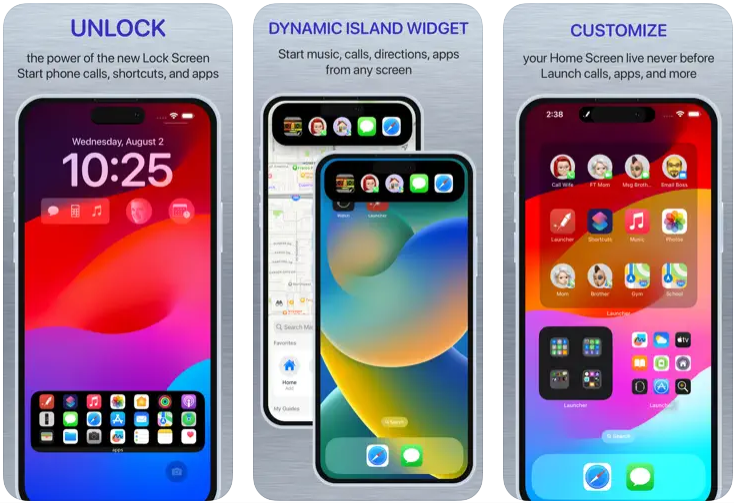
Launcher actually makes using your iPhone feel quicker, smoother, and just a bit smarter. It’s a customizable widget tool that lets you turn your home or lock screen into a launchpad for your most-used actions. Need to text your partner, play your favorite Spotify playlist, fire up directions to work, or open a specific setting on your iPhone? With Launcher, it’s all just one tap away.
The app supports launching apps, shortcuts, contacts, websites, and even specific in-app actions. You can create folders, customize icons, stack widgets, and even set different widget views depending on time, location, or your daily routine. Whether you’re trying to cut down on endless tapping or just want a slick, personalized setup, Launcher is built to keep your phone working more like a tool and less like a maze of apps.
Key Points:
- Add widgets that open apps, contacts, shortcuts, websites, and more
- Customize icons, backgrounds, and layouts for a cleaner or more expressive look
- Set different widgets based on time of day or location (like home, work, or the gym)
- Works on the Home Screen, Lock Screen, and Apple Watch
Made For:
- People who want to save time and reduce tapping through menus
- Users looking to personalize and streamline their iPhone experience
- Anyone juggling work, personal life, and routines who needs quick access to key tools and apps
Contact and Social Media Information:
- Website: www.cromulentlabs.com
- App Store: apps.apple.com/us/app/launcher-with-multiple-widgets
- E-mail: support@cromulentlabs.com
2. Countdown Widget & Counter
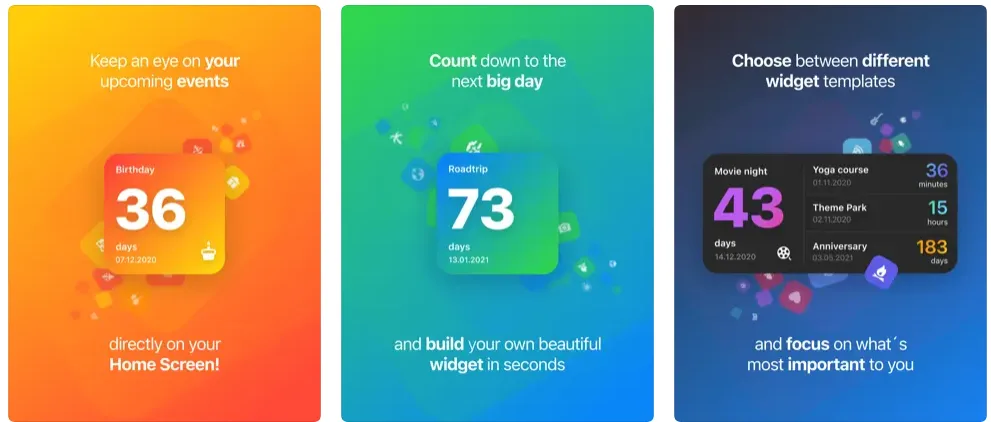
Countdown Widget & Counter (also known as Widget Studio) is a stylish and flexible app that helps you track time leading up to your most important events. Whether you’re counting the days to a vacation, your best friend’s birthday, or even retirement, this app turns your Home Screen into a sleek countdown hub. You can create clean, minimal widgets that blend in beautifully while keeping your next big thing front and center.
The best part? It’s not just pretty. You can customize widgets with gradients, icons, and color themes to fit your aesthetic. You can also preview changes live while editing, set real-time push notifications for your events, and choose between different widget styles. It’s simple to use, but powerful enough to handle everything from casual reminders to critical deadlines.
Key Points:
- Create countdown widgets with customizable colors, icons, and styles
- Supports live countdowns and real-time push notifications
- Built-in editor with live preview for easy setup
- Available for iPhone, iPad, Apple Watch, and even iMessage
Made For:
- People who love tracking big moments like trips, birthdays, or holidays
- Users who want a clean, visual way to stay on top of deadlines
- Anyone who enjoys personalizing their home screen with a useful and aesthetic widget
Contact and Social Media Information:
- Website: cranberry.app
- App Store: apps.apple.com/us/app/countdown-widget-counter
- Twitter: x.com/CranberryApps
- Address: Cranberry Apps GmbH & Co. KG, Lydia-Rabinowitsch-Straße 10B, 10557 Berlin
3. Widgetsmith
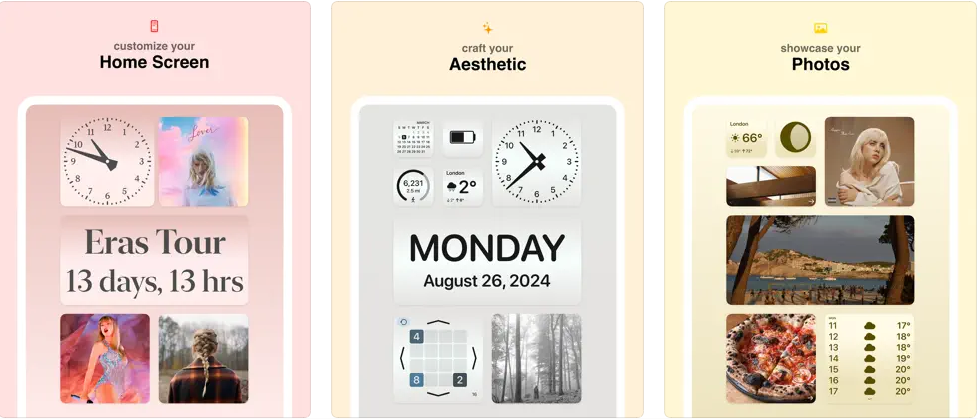
Widgetsmith is one of the go-to apps for anyone who wants full control over how their iPhone or iPad looks and functions. It’s packed with customizable widgets for just about everything: photos, weather, reminders, calendars, countdowns, health stats, and more. The beauty of Widgetsmith is that you don’t just get a bunch of preset widgets, you get the power to shape them exactly the way you want.
You can change fonts, colors, borders, and themes, schedule widgets to appear at different times of the day, and even match them to wallpapers for a cohesive look. It’s kind of like building your own personal dashboard. Whether you want a home screen that’s fun and vibrant or one that’s simple and focused, Widgetsmith makes it easy to switch things up without being a design expert.
Key Points:
- Offers tons of customizable widget types, from photos to step tracking and weather
- Lets you theme widgets to match your wallpaper and overall aesthetic
- Schedule different widgets to show at different times of day
- New wallpapers and widget designs added regularly to keep things fresh
Made For:
- Users who love tweaking their iPhone’s look to match their vibe or mood
- Anyone who wants more function and flexibility from their widgets
- People who enjoy combining both visuals and utility on their home screen
Contact and Social Media Information:
- Website: widgetsmith.app
- App Store: apps.apple.com/us/app/widgetsmith
4. Thoughts – Quotes Manager
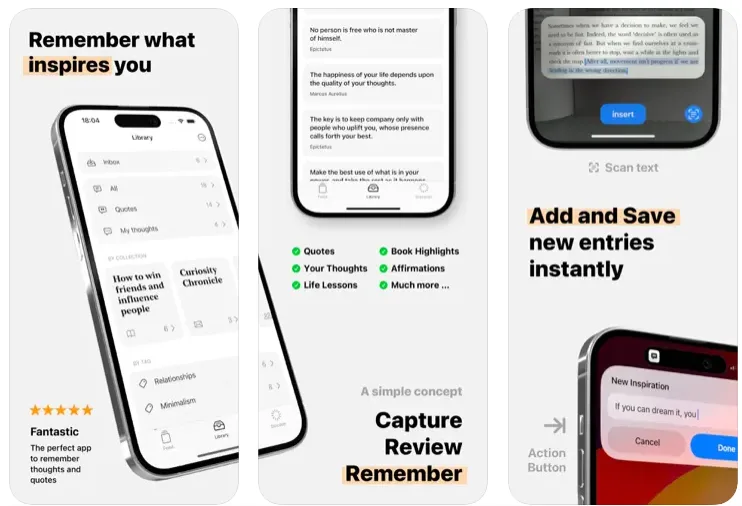
Thoughts is a beautifully simple app designed to help you capture and revisit the words and ideas that inspire you. Instead of letting meaningful quotes, personal reflections, or random bits of wisdom get buried in your notes app or photo roll, Thoughts gives you a clean, focused space to collect them all. It’s like having a curated feed of your own inspiration, right on your home screen.
You can tag and organize your entries into collections, get gentle daily reminders of your saved inspirations, and even create shareable artworks from your favorite quotes. Plus, with iCloud sync, your library is always up to date across your iPhone, iPad, Apple Watch, and more. Whether it’s something someone said, something you read, or something you thought of yourself, this app makes sure it doesn’t get lost.
Key Points:
- Collect quotes, personal reflections, or inspiring lines in one tidy space
- Organize entries using tags, collections, and smart reminders
- Create shareable quote images with custom visuals (iOS 17+)
- Home Screen widgets let you revisit meaningful thoughts at a glance
Made For:
- People who love saving quotes, affirmations, or meaningful words
- Users who want a peaceful, distraction-free space for inspiration
- Anyone looking to stay centered and motivated with daily reminders
Contact and Social Media Information:
- Website: thoughts-app.com
- App Store: apps.apple.com/us/app/thoughts-quotes-manager
5. SyncTasks
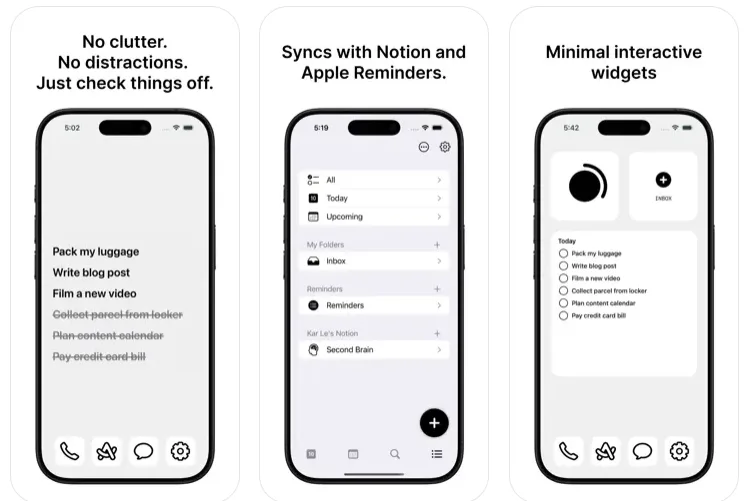
SyncTasks is a no-nonsense to-do list app that does exactly what most people wish Notion or Reminders would do out of the box. It’s designed to be clean, distraction-free, and minimal, while giving you powerful features like two-way sync with Notion and Apple Reminders. Whether you’re deep into Notion or just want a simple standalone app, SyncTasks gives you both options without the clutter or overcomplication.
One of the standout features is its ultra-minimal widget that looks like it belongs on a “dumb phone”, no fluff, just your tasks. It blends into your wallpaper and keeps you focused. There’s no data tracking, no ads, and no subscriptions (just a one-time upgrade if you want premium perks). Plus, it’s created by someone who actually uses the app daily and is building it for users who just want to get stuff done without the bloat.
Key Points:
- Two-way sync with Notion and Apple Reminders
- Minimalist widget that keeps your tasks front and center
- Works offline with real-time Notion sync support
- No ads, no tracking, and no subscription required
Made For:
- Notion users who want simpler, faster mobile task management
- Anyone looking for a clean, focused to-do list without distractions
- People tired of bloated task apps or confusing interfaces
Contact and Social Media Information:
- Website: www.synctasks.app
- App Store: apps.apple.com/us/app/synctasks
6. Dumb Phone (dp)
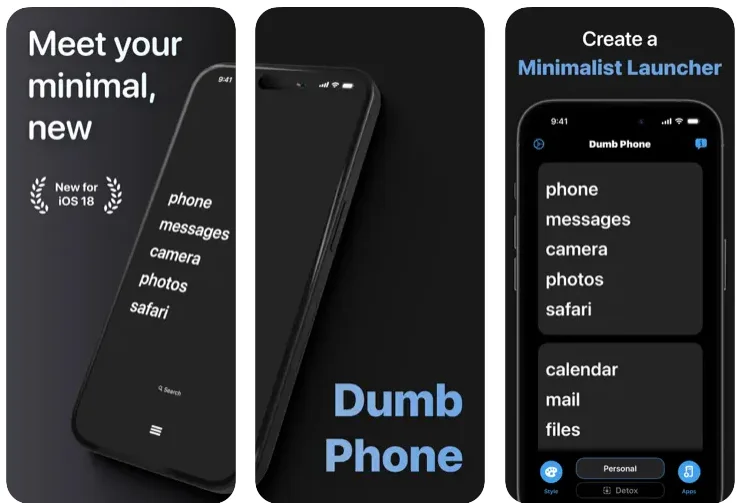
Dumb Phone is a minimalist launcher for people who are just… over it. Over the dopamine hits, over the endless distractions, over tapping into an app and forgetting why you even picked up your phone in the first place. This app turns your iPhone into something that feels more intentional and way less cluttered by hiding all the noise and putting only your essentials front and center.
With Dumb Phone, your home screen becomes a calm, simplified space. You can group your must-have apps into clean launcher widgets, style the layout to match your vibe, and even switch between setups depending on the time of day. Want to go full digital detox? There’s a Detox Mode that blocks or hides non-essential apps using Screen Time. It’s a small shift in setup, but it really does change the way you use your phone. Like… your phone starts to feel like a tool again, not a trap.
Key Points:
- Build custom launcher widgets with just your essential apps
- Choose light or dark themes and minimal text-based layouts
- Switch between app sets for work, play, or wind-down time
- Detox Mode helps block and hide distracting apps
Made For:
- People who want to break free from compulsive screen checking
- Users tired of overstimulation from colorful icons and badges
- Anyone trying to make their phone feel useful instead of addictive
Contact and Social Media Information:
- Website: dumbphone.so
- App Store: apps.apple.com/us/app/dumb-phone-dp
- Twitter: x.com/dumbphoneapp
- Instagram: www.instagram.com/dumbphoneapp
7. Notion Widget Tasks
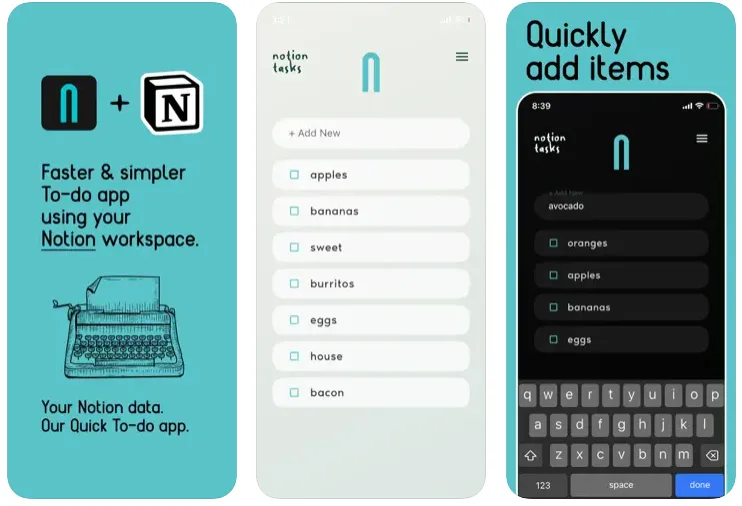
Notion Widget Tasks is for folks who love the flexibility of Notion but don’t want to fight through it every time they just need to check a to-do list. This app pulls your task list straight from your Notion workspace and puts it into a lightweight, mobile-friendly format that’s way easier to use on the go.
Once you choose a Notion page, the app automatically sets up a task database right inside it. That means you can keep using Notion as your main workspace on your computer, but when you’re out and about, you’ve got a stripped-down version of your to-dos that’s much faster to open and way less cluttered. It’s perfect for quick lists like errands, grocery runs, or simple daily routines. It’s not trying to be fancy – just helpful.
Key Points:
- Syncs with your Notion workspace to show your task list
- Automatically creates a task database on the selected page
- Super simple layout compared to the full Notion app
- Great for to-dos, routines, and quick access lists
Made For:
- Notion users who want a faster mobile task manager
- People looking for a simpler way to view their to-dos on iPhone
- Anyone who loves Notion but hates digging through it on the go
Contact and Social Media Information:
- Website: www.notion.com
- App Store: apps.apple.com/us/app/notion-widget-tasks
- Google Play: play.google.com/store/apps/details
- Facebook: www.facebook.com/NotionHQ
- Twitter: x.com/NotionHQ
- LinkedIn: www.linkedin.com/company/notionhq
- Instagram: www.instagram.com/notionhq

8. Endel: Focus & Sleep Sounds
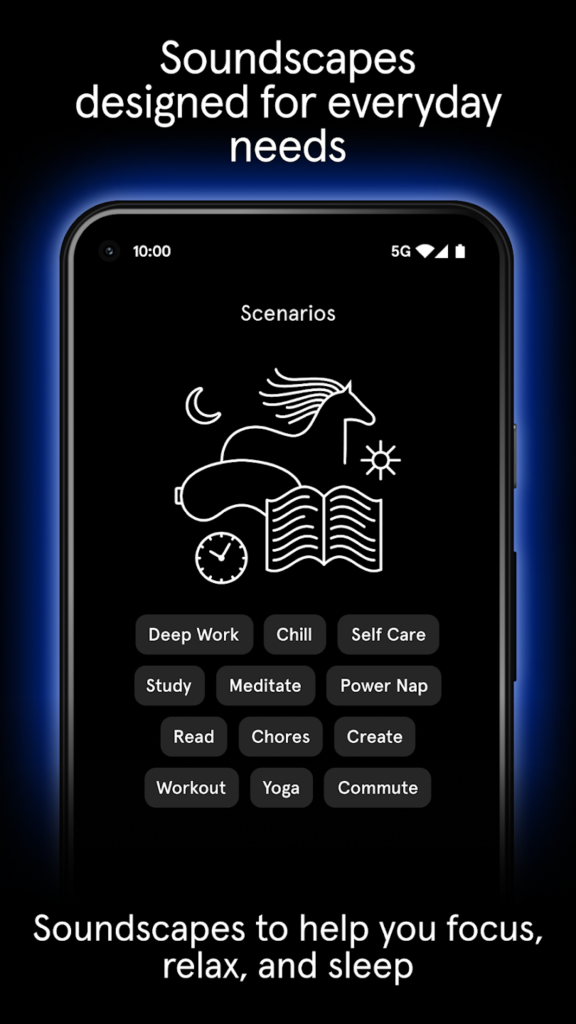
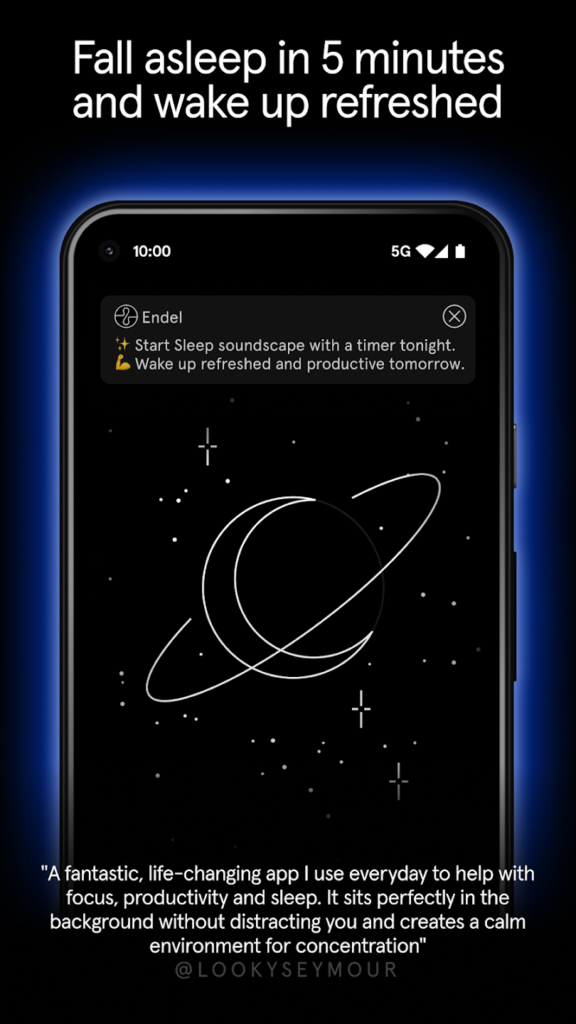
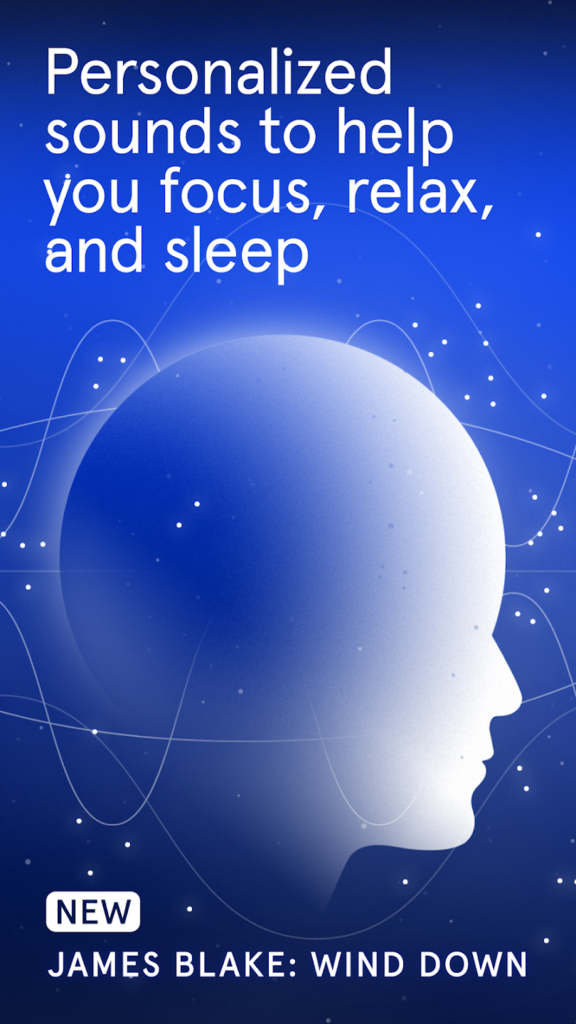
Endel isn’t just a sound app, it actually transforms how your phone feels to use. With dynamic, AI-generated soundscapes for focus, sleep, relaxation, and even recovery, it’s like having your own little mental wellness coach right on your iPhone. And yep, it comes with widgets that make staying balanced way more seamless.
What makes the widget especially useful is that you don’t have to fumble through the app to get what you need. Whether you’re deep into work mode or trying to wind down, the Endel widget puts your current soundscape right on your home screen so you can tap and go. It’s all about removing friction, which is kind of the whole point when your brain’s already overloaded. If you deal with ADHD, brain fog, or even just regular life stress, having calming or energizing sound support just a swipe away is a small thing that makes a big difference.
Key Points:
- Includes a widget for fast access to soundscapes from your home screen
- AI-generated audio adapts to your location, activity, and mood
- Multiple modes: Focus, Sleep, Relax, Recovery, and more
- Works offline across iPhone, Watch, Mac, and other Apple devices
Made For:
- People who want calming tools at their fingertips without app-hopping
- iPhone users with ADHD or anxiety looking for focus support via widgets
- Anyone who’d rather tap a sound mode on their home screen than scroll through playlists
Contact and Social Media Information:
- Website: endel.io
- App Store: apps.apple.com/us/app/endel-focus-sleep-sounds
- Google Play: play.google.com/store/apps/details
- Facebook: www.facebook.com/endelsound
- Twitter: x.com/EndelSound
- LinkedIn: www.linkedin.com/company/endelsound
- Instagram: www.instagram.com/endelsound
9. Pedometer++
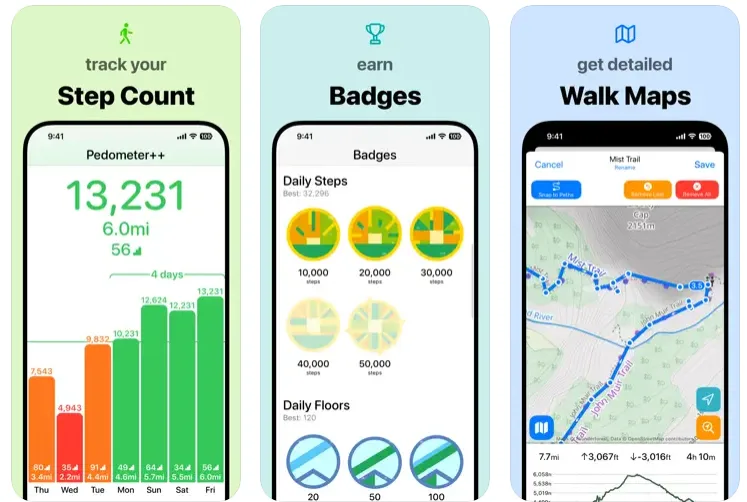
Pedometer++ is one of those apps that just quietly gets everything right. It turns your iPhone (and Apple Watch, if you’ve got one) into a full-on walking tracker that counts steps, distance, stairs, and even active calories. Whether you’re just trying to hit your daily 10k or you’re deep into a hiking habit, this app stays simple without skimping on features.
The app’s widget space keeps you updated without needing to open anything. The widget lets you see your daily progress or exact step count right from your lock or home screen. No taps, no menus – just a quick glance and you’re motivated to take another lap. It’s also clean and visually appealing, which sounds minor but makes a big difference when you’re checking it multiple times a day.
Key Points:
- Widgets show real-time step count and activity data on your home screen
- Track steps, walking distance, flights climbed, heart rate, and more
- Apple Watch integration with custom complications
- Offline maps and hiking routes with elevation, distance, and weather
Made For:
- People who want fitness stats on their home screen without opening an app
- iPhone users who prefer clean, data-focused widgets over cluttered dashboards
- Anyone trying to build better movement habits without extra fluff or distractions
Contact and Social Media Information:
- Website: pedometer.app
- App Store: apps.apple.com/us/app/pedometer
10. TheDayBefore
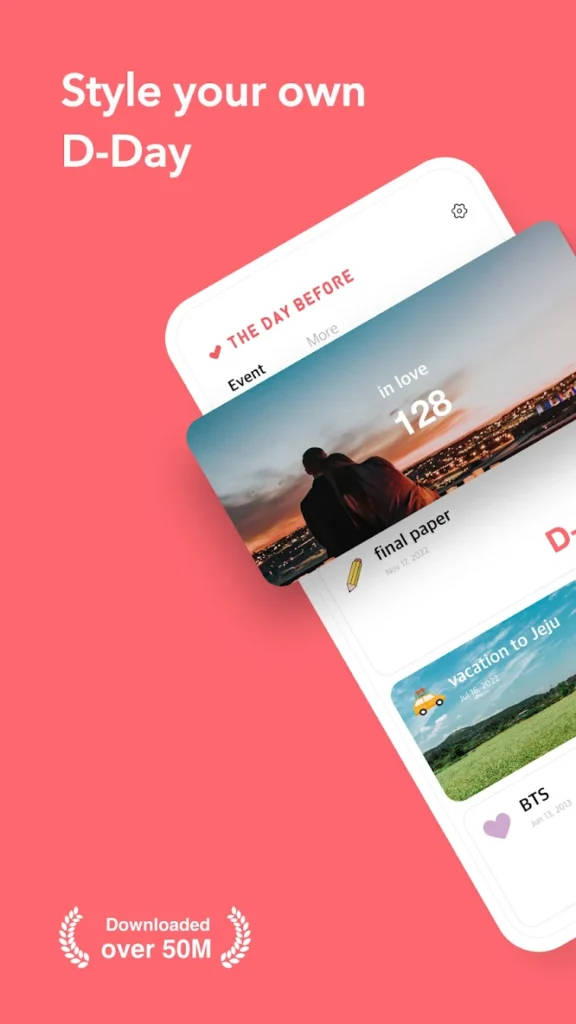
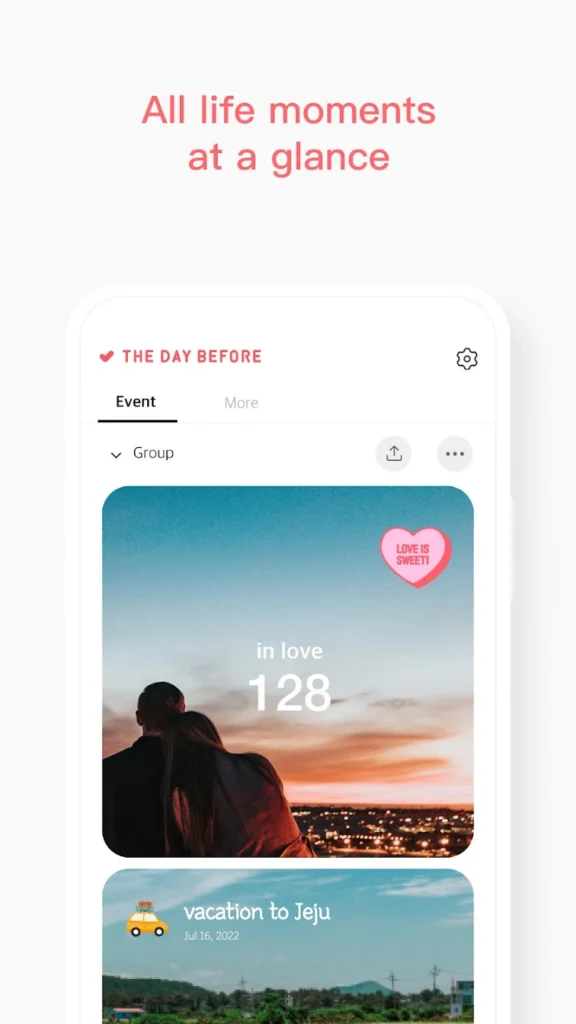
If you’ve ever forgotten a birthday, an anniversary, or even how long it’s been since your last big event, TheDayBefore is here to save the day – literally. This app makes counting down (or up) to meaningful dates feel personal, visual, and actually kind of fun. Think of it as your own stylish timeline for life’s little and big moments.
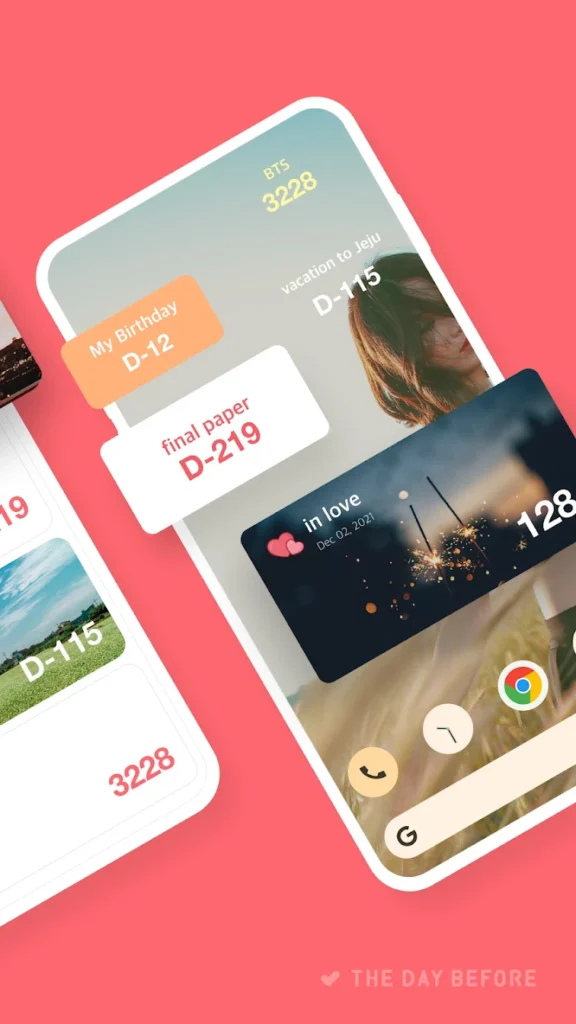
You can decorate each countdown with backgrounds, stickers, and fonts that match your vibe. Want your best friend’s birthday to show up in pink with sparkles on your home screen? Done. Need a sleek, minimalist countdown to an exam? Easy. Plus, with the lock screen widgets, your most important events are always just a glance away. It’s a countdown app, sure – but one that feels way more personal than a generic reminder.
Key Points:
- Stylish home screen and lock screen widgets with full customization
- Supports countdowns, anniversaries, monthly or weekly repeats, and more
- Group and share events with family or friends
- Optional stories feature to reflect on each event with photos and notes
Made For:
- People who love decorating their home screen and want their widgets to look cute or aesthetic
- Anyone managing multiple recurring or one-off events (birthdays, milestones, personal goals)
- Users who want to keep meaningful days front and center without setting a bunch of alarms
Contact and Social Media Information:
- Website: www.thedaybefore.me
- App Store: apps.apple.com/us/app/thedaybefore-days-countdown
- Google Play: play.google.com/store/apps/details
- E-mail: help@thedaybefore.me
11. HeyWeather
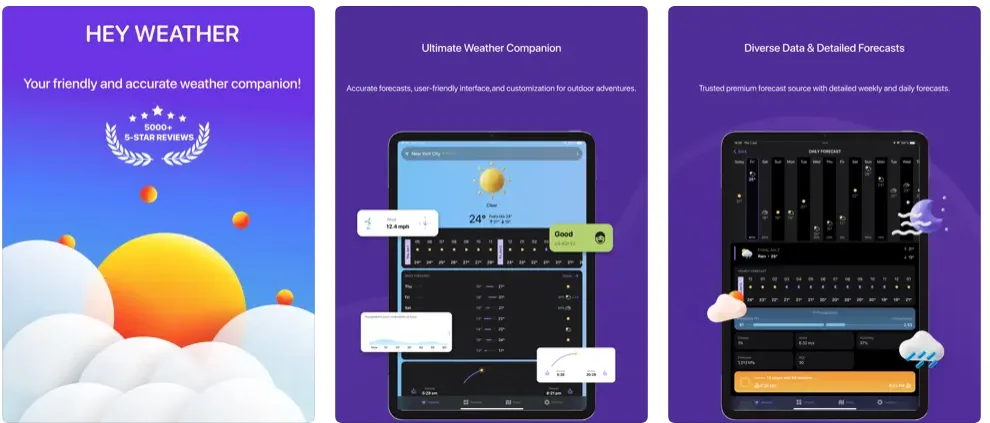
HeyWeather is the kind of weather app that doesn’t just show you the forecast – it lets you style it to fit your home screen aesthetic. Whether you’re into minimal vibes or bold colors, you can customize pretty much every part of the widget to match. On top of that, the app covers everything you’d want from a weather app: real-time radar, extended forecasts, air quality tracking, and even moon phases. And yep, it all works with Apple Watch too.
HeyWeather gives you so much control. You can build widgets for different cities, change up the layout, and even set live updates for when it starts raining. It supports lock screen widgets, Live Activity, and Dynamic Island too, which means you stay in the loop without lifting a finger. Plus, no ads. Ever. Even on the free version.
Key Points:
- Home screen and lock screen widgets that are fully customizable
- Real-time weather radar, air quality, and 16-day forecasts
- Apple Watch support with clean, flexible complications
- Live weather alerts and dynamic lock screen updates
Made For:
- People who want weather info that actually looks good on their screen
- Anyone juggling weather in different cities for family, work, or travel
- Users who want useful updates without being hit with ads or clutter
Contact and Social Media Information:
- Website: heyweatherapp.com
- App Store: apps.apple.com/us/app/heyweather-accurate-forecast
- E-mail: Hello@HeyWeatherApp.com
12. Finch
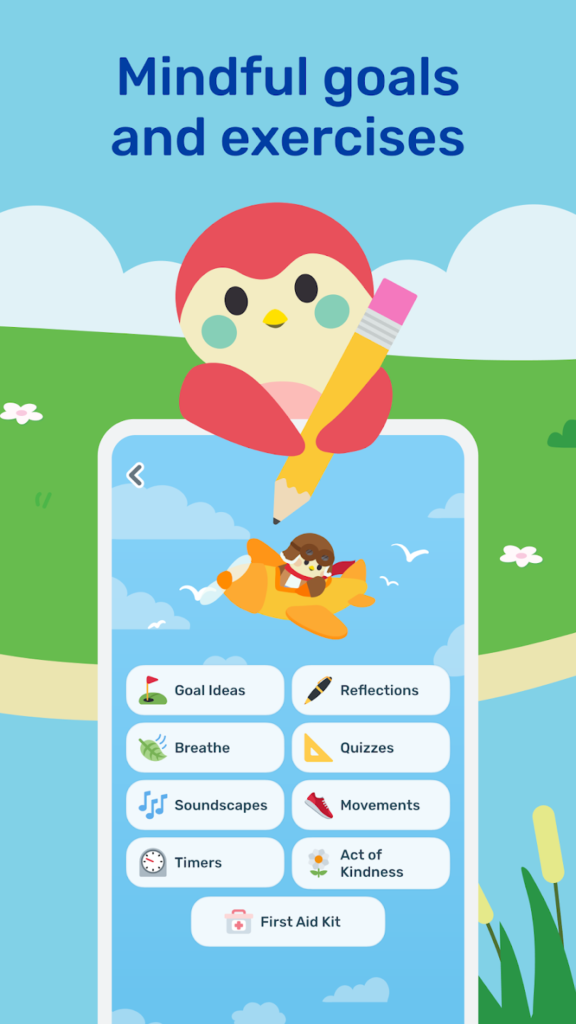
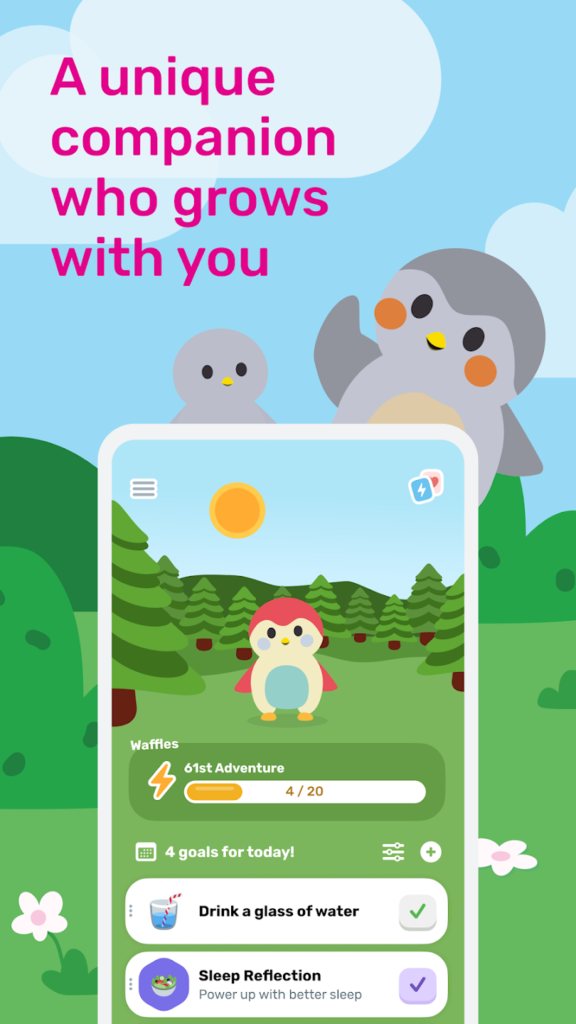
Finch is a self-care app wrapped in the warmth of a virtual pet. At first glance, it’s a feel-good mental health companion that encourages journaling, mood tracking, and mindful routines. But one thing that sets Finch apart, especially for iPhone users, is how well it brings that support out of the app and right onto your Home Screen through widgets.
Instead of opening the app every time you want a reminder to breathe, reflect, or check in, Finch’s widgets let you keep those helpful nudges front and center. You can see your goals, check your mood progress, or get daily motivation just by glancing at your screen. It’s a subtle but powerful way to stay grounded and connected to your wellness habits throughout the day.

Key Points:
- Custom widgets show daily goals, check-ins, and uplifting prompts
- Easily track your progress without opening the app
- Motivational quotes and reminders appear right on your Home Screen
- Widgets are clean, cheerful, and match the app’s calming vibe
Made For:
- Anyone who wants gentle self-care nudges without app overload
- Users who respond better to visual reminders in their daily space
- People looking to track their emotional wellness in a low-pressure way
Contact and Social Media Information:
- Website: finchcare.com
- App Store: apps.apple.com/us/app/finch-self-care-pet
- Google Play: play.google.com/store/apps/details
- E-mail: support@befinch.com
- Facebook: www.facebook.com/groups/finchfam
13. ScreenKit
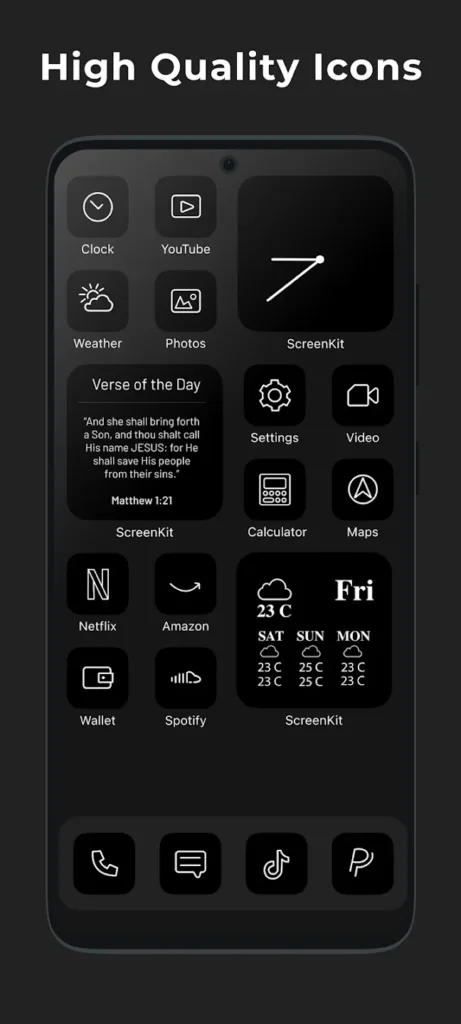
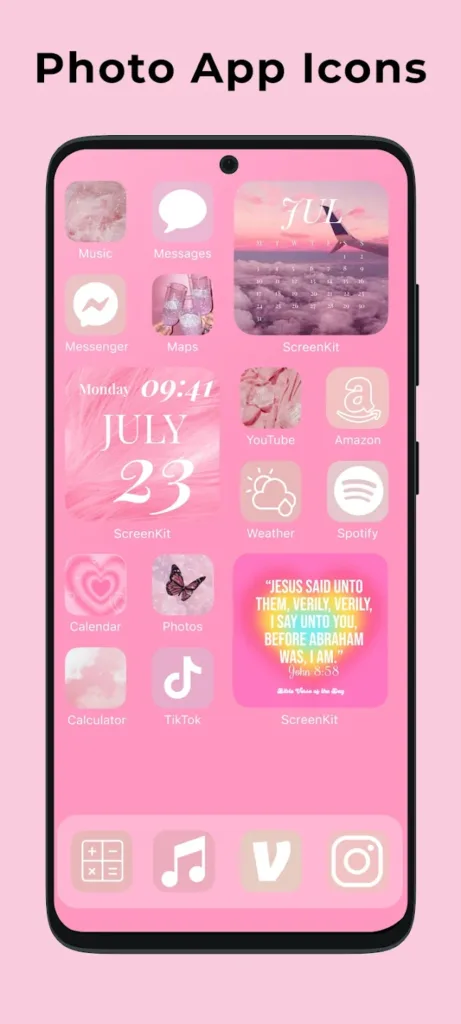
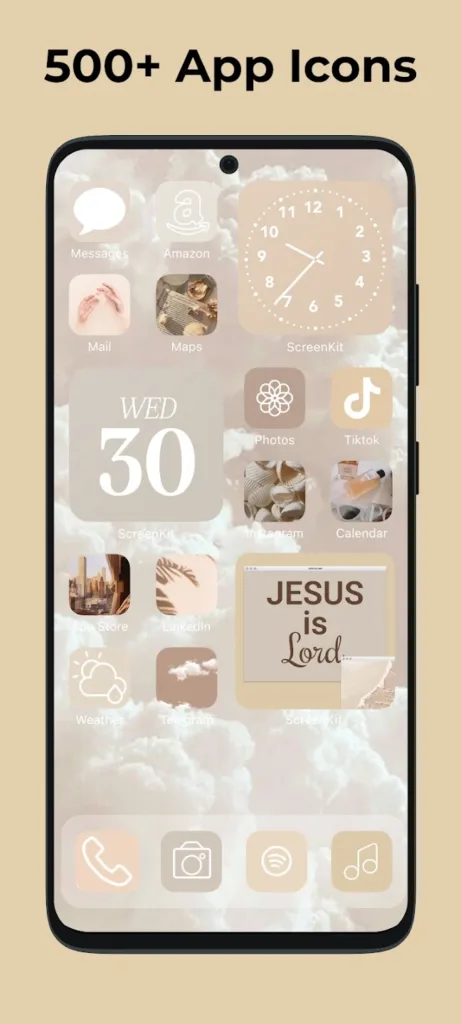
ScreenKit is all about transforming your home screen into something way more you. It’s a one-stop app for anyone who wants their iPhone, iPad, or Mac to actually feel personal, with custom widgets, aesthetic app icons, and matching wallpapers and folder covers. You don’t have to be a designer to make your device look great – just pick a theme and apply.
The widget part is where things get especially fun. Whether you’re into minimal vibes, bold colors, or full seasonal themes, ScreenKit helps you match your widgets with your app icons and wallpaper for a super cohesive look. It’s like giving your device a full style refresh in minutes, and yeah, it makes opening your phone way more satisfying.
Key Points:
- Tons of widget themes that match icons and wallpapers
- Customize your home screen in just a few taps
- Compatible with iPhone, iPad, and even Mac desktops
- New themes added regularly to keep things fresh
Made For:
- People who want their home screen to reflect their vibe
- Users who love aesthetics but don’t want to design from scratch
- Anyone looking for themed widgets that go beyond basic weather or calendar displays
Contact and Social Media Information:
- Website: www.screenkit.xyz
- App Store: apps.apple.com/us/app/screenkit-app-icons-widget
- Google Play: play.google.com/store/apps/details
- E-mail: support@screenkit.xyz
- Facebook: www.facebook.com/ScreenKitApp
- Twitter: x.com/screenkitapp
- Instagram: www.instagram.com/screenkit.app
14. Fantastical
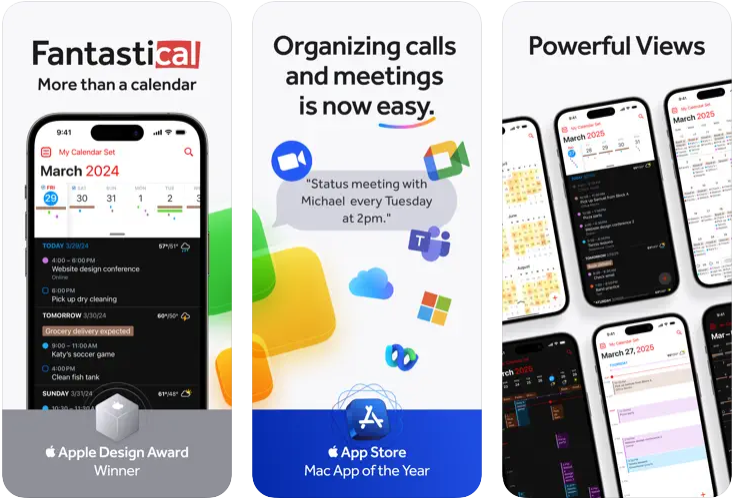
Fantastical is a powerful calendar app that takes scheduling and reminders seriously but still makes the process feel smooth. It’s packed with smart features that help you organize your days, track tasks, and keep up with meetings, whether you’re working solo or trying to coordinate a group. Its natural language input is one of the standout features – just type (or speak) what you need and Fantastical figures out the rest.
One of the highlights for widget fans is that Fantastical offers a wide selection of home screen widgets for quick views of your day, week, tasks, or upcoming reminders. They’re clean, useful, and designed to blend into any layout. It’s a solid choice if you’re looking to bring your calendar and to-dos right to your iPhone screen without needing to open the app every time.
Key Points:
- Beautiful and flexible widgets for day, week, or task views
- Supports natural language for easy event and task creation
- Works across iPhone, iPad, Apple Watch, and more
- Built-in weather forecasts and smart scheduling tools
Made For:
- People who rely on their calendar to keep life organized
- Users who want calendar widgets with more customization and function
- Professionals juggling meetings, deadlines, and personal to-dos all in one place
Contact and Social Media Information:
- Website: flexibits.com
- App Store: apps.apple.com/us/app/fantastical-calendar
- Twitter: x.com/flexibits
- Instagram: www.instagram.com/flexibits
15. PhotoWidget: Simple
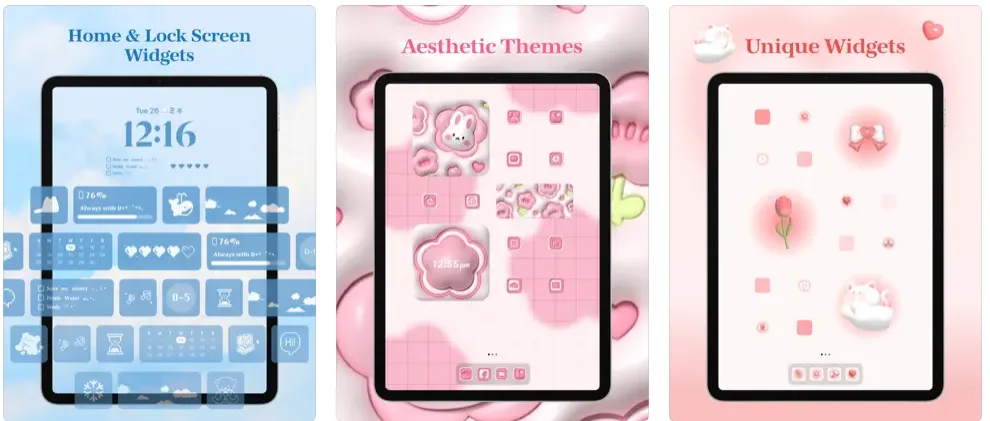
PhotoWidget is a go-to app for anyone who wants to turn their iPhone or iPad into something a bit more personal and way more aesthetic. It’s loaded with options for customizing your home screen using themed widgets, matching wallpapers, and even coordinated app icons. Whether you’re into cute pets, moody vibes, K-pop edits, or sleek minimalism, there’s probably a setup here with your name on it.
What really sets it apart is how approachable it is. You don’t need to be super techy to figure it out. Everything from setting up a D-day countdown to dropping in your favorite selfies as a photo widget is quick and straightforward. Plus, it supports both home and lock screen widgets, giving you full creative control over your vibe. You can even unlock premium themes just by watching a short ad, which feels like a nice option if you’re not trying to spend extra cash.
Key Points:
- Offers photo, calendar, memo, battery, to-do, and Zodiac widgets
- Thousands of free and premium design themes available
- Lets you change app icons, wallpapers, and widgets all at once
- Works across iPhone, iPad, Apple Watch, and even Apple Vision
Made For:
- People who love customizing every inch of their phone
- Users who want fun, aesthetic widgets without paying a fortune
- Anyone who wants their home screen to actually reflect their personality
Contact and Social Media Information:
- Website: www.photowidget.net
- App Store: apps.apple.com/us/app/photowidget-simple
- Twitter: x.com/photowidget_ios
- Instagram: www.instagram.com/ios.photowidget
16. Lock + Home Widgets by widgetopia
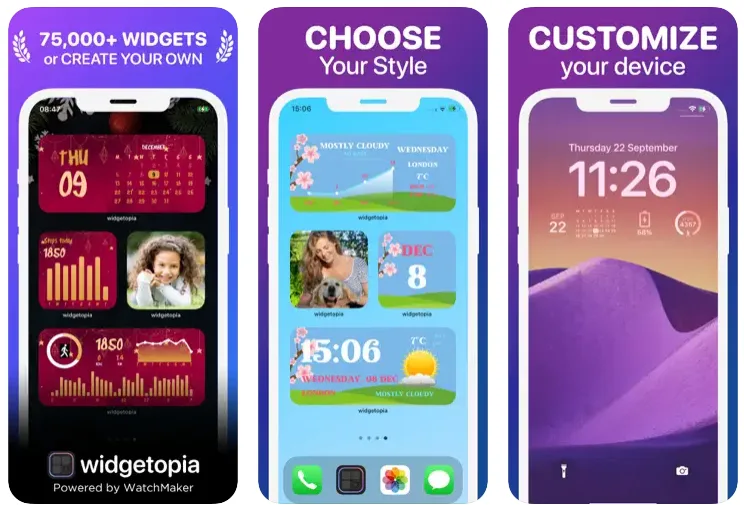
If you’re the kind of person who wants total control over how your phone looks and works, widgetopia might be your jam. This app gives you access to over 75,000 widgets and design tools so you can make something that’s actually yours. Whether you’re aiming for a sleek and minimal home screen or something super creative and fun, this app lets you build it piece by piece.
It’s not just about picking from pre-made options either. You can design your own widgets from scratch, remix existing ones, and even throw in animations or custom code if you’re feeling fancy. The app supports a bunch of data types too – things like weather, health stats, calendar events, moon phases, step counts, and more. It’s a bit of a playground for widget lovers who enjoy tinkering, with the flexibility to get as simple or complex as you want.
Key Points:
- 75,000+ ready-made widgets and 5,000+ icons available
- Powerful tools to fully design and customize your own widgets
- Includes health, calendar, clock, photo, and countdown widgets
- Supports animated GIFs, weather data, and even JSON for advanced users
Made For:
- Anyone who wants full creative freedom over their widgets
- Users who like to build things from scratch or customize deeply
- People who want both lock screen and home screen widgets that do more than just look pretty
Contact and Social Media Information:
- Website: widgetopia.io
- App Store: apps.apple.com/us/app/lock-home-widgets-widgetopia
- Email: admin.androidslide@gmail.com
Conclusion
At the end of the day, widgets aren’t just about making your iPhone look cooler (though that’s definitely part of the fun). The best widget apps bring real function to your home screen – helping you stay on top of your schedule, track habits, check the weather without opening five different apps, or even just glance at a to-do list that reminds you to buy cat food. Whether you’re all about aesthetics or just want your phone to work smarter for you, there’s something here that’ll probably stick.
Try a few, swap them around, see what fits. Your home screen should feel like your space – helpful, personal, and maybe even a little inspiring.